Designed for photographers who shoot RAW. Windows edition • Launch preview
YOUR PHOTO WORKFLOW, REIMAGINED ✦

Less sorting.
More creating.

Review RAW photos, make confident selections, and find client-requested RAW frames by filename or camera number—all in one streamlined Windows photography workflow.

✓ Original RAW copy workflow✓ No subscription planned✓ Windows 10/11, 64-bit
Easy View Pro — Number Matcher
PRODUCT PREVIEW
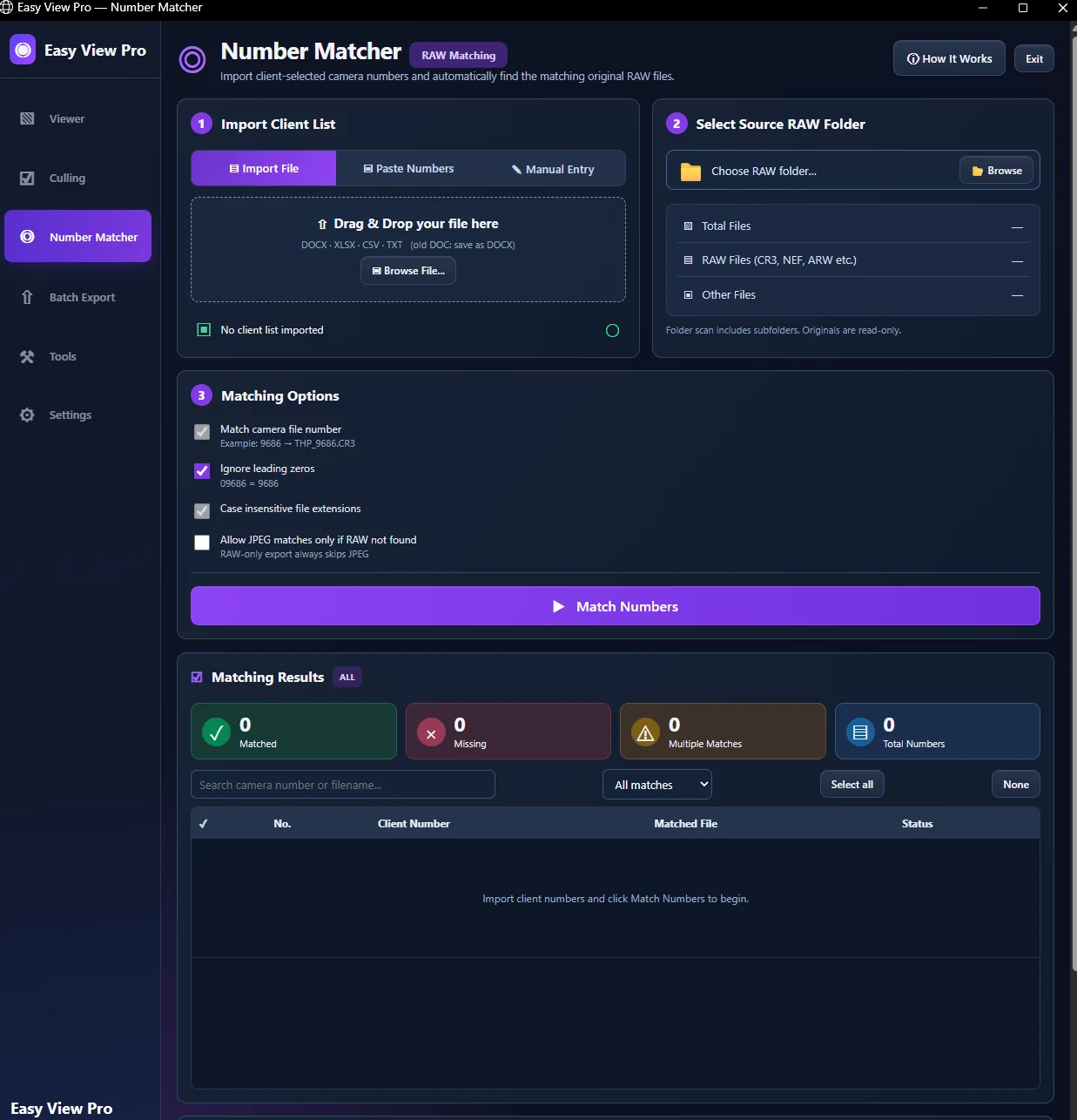
Number Matcher development interface with import list, RAW source folder, matching options and results
⌕
Camera-number matchingClient list → matching RAW files

Development interface preview. Some screenshots are concepts; camera support varies with camera model, RAW mode and Windows codecs. Sales are not open yet.

1Focused workspace
RAWOriginal-file exports
$11.99Planned one-time price
THE TOOLS YOU ACTUALLY NEED

Built around your workflow.
Not the other way around.

From the first camera card to the final client selection, stay focused on the photographs—not the file management.

◈
THE TIME-SAVER

Number Matcher

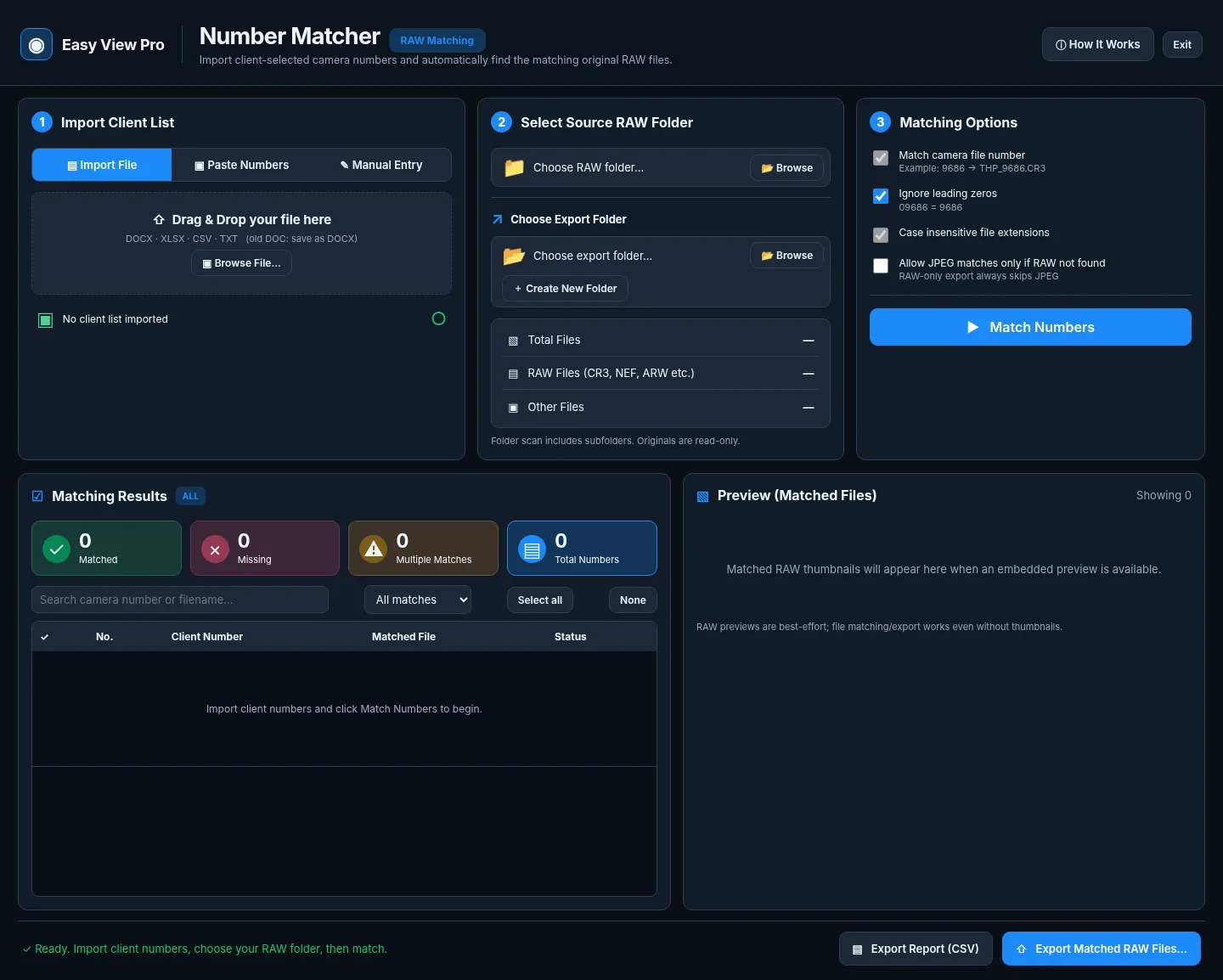
Import client-selected numbers from DOCX, XLSX, TXT or CSV, or select the JPEGs your client sends you. Match by camera number or exact filename, review duplicates and missing images, then export original RAW files.

JPEG filename matchingMissing-file reportVerified RAW copies
Number Matcher development interface detail
▣

RAW photo viewing

Move through a shoot, inspect photographs and zoom into details without editing the original RAW files.

⌁   Camera support varies by model/codec
✓

Fast photo culling

Pick, reject, rate and navigate using keyboard shortcuts. Spend your time selecting photos—not clicking through menus.

⌨   Keyboard-first navigation
⇧

Original RAW exports

Send selected RAW files to your chosen folders. Copy originals rather than re-encoding them as JPEGs.

♢   Source originals stay unchanged
▤

Wedding & event ready

Organize large sessions, select delivered frames from a client list and keep the workflow simple for busy shoots.

☷   Built with real photographer feedback
TAKE A CLOSER LOOK

Professional on screen.
Simple in practice.

Explore the viewing workspace and the matching tools that make client handovers easier.

Number Matcher development interface screenshot

Number Matcher — development interface preview; the released layout may differ. Viewer/culling images are illustrative concepts, not verified current screenshots.

FROM SHOOT TO SELECTION

Three steps.
One smooth flow.

Keep your images in place while you find the exact frames your client asked for.

Explore the launch price ↗
01

Open your photo folder

Browse your original RAW collection and select the folder containing your shoot.

02

Import the client's numbers

Import a DOCX, XLSX, TXT, CSV or pasted list of camera image numbers, or select client JPEG files. Match by camera number or original filename.

03

Review, then export

Check matched, missing and duplicate results. Export selected original RAW files to a separate destination folder.

SIMPLE, FAIR PRICING

One payment planned.
More time for photos.

We plan a one-time license, not a recurring subscription. Commercial licensing and secure checkout are still being prepared.

✓ Windows 10 / 11 (64-bit) release candidate
✓ RAW viewer, culling and Number Matcher
✓ No cloud upload required for photo matching
PROFESSIONAL LICENSEPLANNED PRICE
$11.99

One-time purchase, not a subscription


  • Windows application installer
  • RAW photo browsing and selection
  • Number Matcher workspace
  • Original RAW file export
  • Product updates planned for commercial release

♢ Paddle checkout is not live; no payment is collected

GOT QUESTIONS?

Everything you need to know.

Is Easy View Pro a subscription?+

No. The planned price is a one-time $11.99 purchase. The final license and future-update policy will be published before checkout goes live.

Does it change my RAW files?+

Its RAW export workflow is designed to copy original RAW files without converting them to JPEG. We still recommend keeping your camera originals backed up.

Can it match numbers from Excel or Word?+

Number Matcher supports XLSX, DOCX, TXT and CSV lists, manual entry, and client-selected JPEG filenames. Old .DOC files should be saved as .DOCX before importing.

Which operating systems are supported?+

This website currently focuses on the Windows 10/11 64-bit edition. A separate macOS development project exists but is not part of this planned Windows purchase.

Can I buy and download it today?+

Not yet. The storefront is a launch preview. Verified Paddle payments, secure downloads, licensing and signed Windows releases must be set up before sales start.

What camera RAW formats work?+

The app recognizes common RAW extensions including ARW, CR3, NEF and DNG. Actual full RAW decoding can depend on camera model, compression type and installed Windows support.

MAKE EVERY FRAME COUNT

Your workflow deserves
a faster way.

Spend less time hunting files. Spend more time delivering the photos that matter.

See pricing
✦

We're getting ready to launch.

Easy View Pro's secure Paddle checkout is not active yet. No payment has been taken. Please check back after our official release.